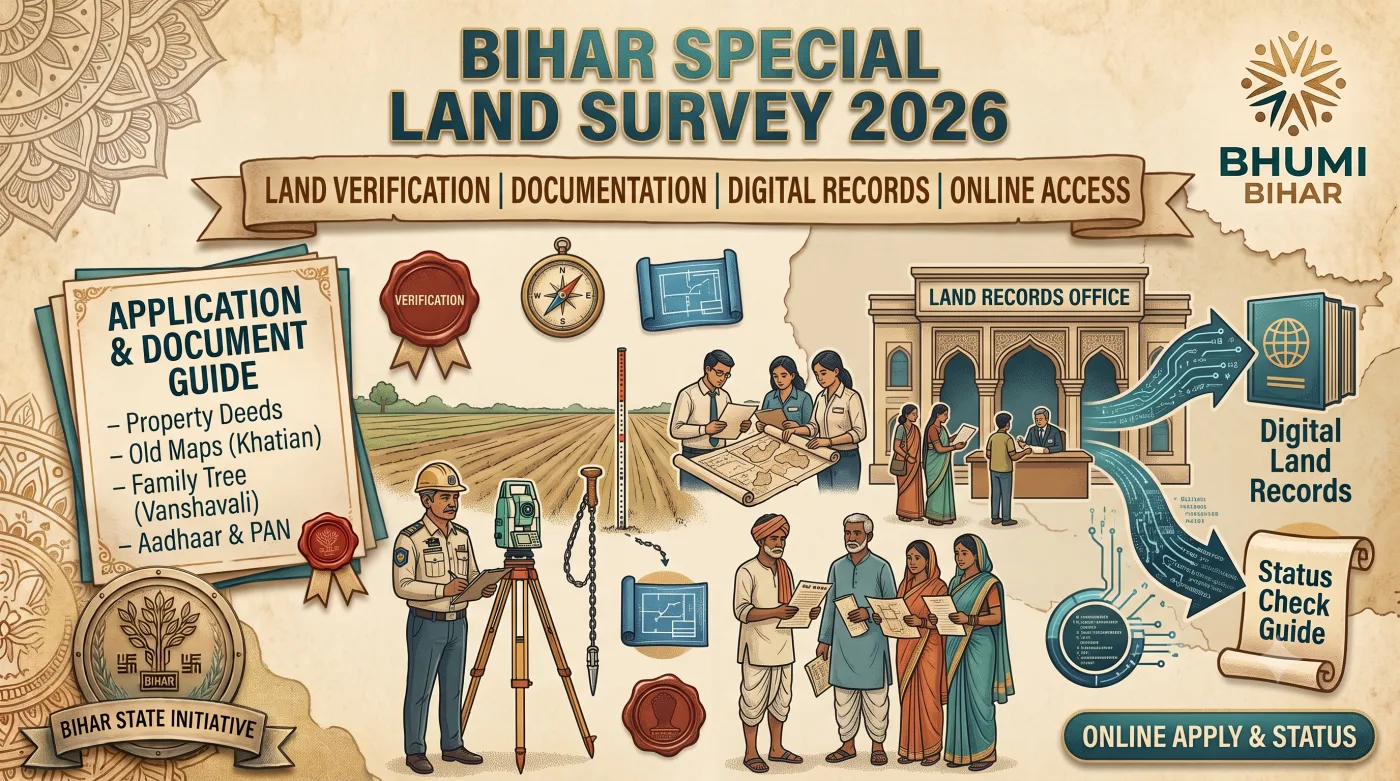
The Bihar Special Land Survey (विशेष सर्वेक्षण एवं बंदोबस्त) 2026 is the historically significant state-wide land record modernization initiative executed by the Directorate of Land Records and Survey (DLRS), Department of Revenue and Land Reforms, Government of Bihar. Instituted to replace outdated Cadastral and Revisional Khatians dating back to the British era and 1960s with digital, GIS-mapped, aerial-surveyed legal land titles, this program impacts every single landowner, ancestral heir, and tenant across all 38 districts of Bihar.
Operating through the centralized portal dlrsonline.bihar.gov.in and supported by biharbhumi.bihar.gov.in, the entire survey workflow—from Prapatra 2 (Self Declaration) filing, Prapatra 3.1 (Land Details) upload, Vanshavali verification, Electronic Total Station (ETS) plot measurement by Special Survey Amins, to Prapatra 6 objection resolution—is digitally tracked. This comprehensive technical guide provides end-to-end operational clarity on online form submission, ancestral land document validation, Vanshavali format rules, camp office verification, and draft Khatian publication for 2025-26.
1. Strategic Vision & Policy Framework of Bihar Land Survey
More than 60% of civil court litigation and rural disputes in Bihar stem from ambiguous land boundaries, unpartitioned ancestral Khatians, and pending mutations. The Bihar Government enacted the Bihar Special Land Survey Act, 2011 to create an unassailable digital database of land rights.
| Survey Phase | Key Operations & Formats | Executing Authority | Managing Portal |
|---|---|---|---|
| 1. उद्घोषणा (Notification) | Publication of Mouza survey notification & Camp office setup | Assistant Settlement Officer (ASO) | dlrsonline.bihar.gov.in |
| 2. स्वघोषणा (Self Declaration) | Submission of Form 2 & Form 3.1 with Vanshavali and Khatian copies | Landowners / Legal Heirs | dlrsonline.bihar.gov.in |
| 3. खानापूरी & किश्तवाड़ (Field Measurement) | ETS Plot measurement, boundary marking & aerial map verification | Special Survey Amin & Kanoongo | DLRS Mobile App & Field GIS |
| 4. प्रारूप अधिकार अभिलेख (Draft Publication) | Publication of Draft Khatian (Form 10/12) for public audit | ASO & Camp Team | dlrsonline.bihar.gov.in |
| 5. सुनवाई एवं अंतिम प्रकाशन (Final Khatian) | Resolution of Prapatra 6 objections & issuance of final digital Khatian | Settlement Officer & DM Desk | dlrsonline.bihar.gov.in |
2. Key Forms Explained: Prapatra 2, Prapatra 3.1 & Prapatra 6
Landowners must understand the legal function of specific statutory forms mandated by the DLRS:
2.1 Prapatra 2 (प्रपत्र-2: Self-Declaration Form)
Prapatra 2 is the primary legal declaration where a landholder details their identity, ancestral lineage, total land acreage, Khata numbers, Khasra numbers, and nature of title (Ancestral Raiyati, Purchased Kevala, Government Lease, or Mahadalit Boodhan Patta).
2.2 Prapatra 3.1 (प्रपत्र-3.1: Land Detail & Boundary Form)
Prapatra 3.1 accompanies Prapatra 2. It contains a plot-by-plot breakdown specifying exact physical boundaries (Chouhaddi: North neighbor name, South neighbor name, East neighbor name, West neighbor name), irrigation status, and current actual land possession.
2.3 Prapatra 6 (प्रपत्र-6: Objection Filing Form)
If a landowner finds that their plot area, owner name, or boundary has been published incorrectly in the Draft Khatian (Prapatra 10), Prapatra 6 is submitted within 30 days to demand official re-measurement and correction.
3. Complete Step-by-Step Online Submission Workflow on DLRS Portal
Landowners do not need to stand in long camp queues. Follow the step-by-step digital process below:
Stage 1: Portal Registration & Mouza Mapping
- Open your web browser and visit:
https://dlrsonline.bihar.gov.in/. - Click on "Bihar Special Survey Online Form Submission (विशेष सर्वेक्षण ऑनलाइन आवेदन)".
- Register your user account using your Name, Mobile Number, Aadhaar Number, and Email Address. Verify with Mobile OTP.
- Log into your applicant dashboard.
- Select Location Mapping: Choose District, Circle (Anchal), Mauza Name, and Mauza Thana Number.
Stage 2: Uploading Prapatra 2, Prapatra 3.1 & Supporting Documents
- Select Land Ownership Type: Self-Acquired (Kevala) or Ancestral (Paitrik).
- Enter Applicant Details: Name of Landholder, Father's/Husband's Name, Caste Category, Aadhaar Number, Mobile Number, and Permanent Address.
- Enter Plot Details: Khata Number, Khasra (Plot) Number, Area in Acre/Decimal, Land Type (Bhumi Kism - Dhanhar, Bhit, Residential, Commercial), and Plot Boundaries (Chouhaddi).
- Upload PDF Copies of Supporting Documents (file size under 2 MB per document):
- Scanned Prapatra 2 (Self Declaration) filled & signed.
- Scanned Prapatra 3.1 (Land Details) filled & signed.
- Verified Vanshavali (Genealogy Tree).
- Copy of Ancestral Khatian or Registered Sale Deed (Kevala).
- Latest Online Land Revenue Receipt (Malguzari Receipt from biharbhumi.bihar.gov.in).
- Copy of Dakhil Kharij (Mutation Order) if available.
- Click Final Submit. Download and print the official Acknowledgement Slip containing your Survey Reference Tracking Number.
4. Mandatory Document Specifications & Vanshavali Protocol
Adhering to strict document verification standards is essential to secure clean title entry in the new Government Khatian.
| Document Name | Authority & Format Criteria | Max Size & Type |
|---|---|---|
| Prapatra 2 & Prapatra 3.1 | Official DLRS format filled, dated, and signed by applicant. | PDF (Max 2 MB) |
| Vanshavali (Genealogy Tree) | Self-declared affidavit or verified by Panchayat Sachiv / Sarpanch / Ward Member. | PDF (Max 2 MB) |
| Ancestral Khatian / Kevala | Certified copy of old Khatian or registered sale deed showing original ownership. | PDF (Max 2 MB) |
| Land Revenue Receipt (Malguzari) | Latest online tax receipt from biharbhumi.bihar.gov.in. | PDF (Max 2 MB) |
| Identity & Residence Proof | Aadhaar Card copy of applicant + Bihar Residence Certificate. | PDF (Max 2 MB) |
4.1 Official Vanshavali (Genealogy Tree) Structure & Verification
For ancestral land registered in the name of deceased grandparents or great-grandparents, a certified Vanshavali is legally mandatory:
- Vanshavali Content: The Vanshavali must start from the original Khatian holder (e.g., late grandfather) and trace down lineally to all sons, daughters, and current legal heirs.
- Gender Parity: As per Hindu Succession Act amendments and Bihar land regulations, married/unmarried daughters have equal inheritance rights in ancestral property and should be included in the genealogy.
- Attestation Authority: The Vanshavali can be submitted as a notarized affidavit or verified with signature and official seal by the Gram Panchayat Secretary (Panchayat Sachiv) or Ward Member / Sarpanch.
5. Camp Amin Physical Verification & Objection Rectification
Once online documents are submitted, the physical ground survey progresses through defined verification stages:
| Field Activity | Operational Workflow | Landowner Responsibilities |
|---|---|---|
| 1. Plot Boundary Marking (किश्तवाड़) | Survey Amin measures plot boundaries using ETS machines and high-resolution aerial drone maps. | Be physically present at plot during measurement with neighboring plot owners. |
| 2. Khanapuri (खानापूरी) | Amin matches physical plot possession with submitted Prapatra 2 & Khatian documents. | Provide Prapatra 2 reference number and show land boundary pegs. |
| 3. Draft Khatian Publication | Draft Khatian (Form 10/12) published online and at Panchayat Camp office. | Verify Khata number, Khasra number, area, and spelling of name. |
| 4. Objection Filing (Prapatra 6) | Objection hearing conducted by Assistant Settlement Officer (ASO). | File Form 6 within 30 days if any error exists in draft publication. |
6. Common Land Survey Errors & Troubleshooting Guide
Review the troubleshooting matrix below to resolve common survey defects and disputes:
| Defect / Survey Flag | Root Cause | Corrective Action Steps |
|---|---|---|
| Ancestral Partition Not Recorded (Bantwaranama Missing) | Family members cultivating separate plots without formal registered partition. | Execute a mutual family partition deed (Panchayati Bantwaranama), get signatures of all legal heirs, and attach with Form 2. |
| Dakhil Kharij (Mutation) Pending | Purchased land Kevala exists but online Jamabandi is not created. | Apply immediately for online Dakhil Kharij on biharbhumi.bihar.gov.in, obtain mutation order, and submit to Survey Amin. |
| Disputed Chouhaddi / Boundary Mismatch | Neighboring landowner claiming portion of plot during Amin ETS measurement. | Request joint re-measurement in presence of Kanoongo; if unresolved, file formal objection under Prapatra 6 before ASO. |
| Missing Ancestral Khatian Copy | Old Khatian record copy lost or damaged. | Apply for certified Khatian copy at District Record Room (Abhilekhagar) or search online on biharbhumi.bihar.gov.in. |
7. How to Track Bihar Land Survey & Khatian Status Online
Landowners can track survey progress, view Mouza maps, and check draft Khatian entries online:
7.1 Checking Status on DLRS Portal
- Visit
dlrsonline.bihar.gov.in. - Click on "Track Application / Mauza Survey Status (मौजा सर्वेक्षण स्थिति)".
- Select District, Anchal, and Mauza Name.
- The screen will display real-time survey status: Notification Issued, Form 2 Collection Active, Khanapuri In-Progress, or Draft Khatian Published.
8. Strategic Summary & Essential Direct Portal Links
The Bihar Special Land Survey 2026 is a historic opportunity for all landowners in Bihar to secure permanent, legal, digital title to their ancestral and purchased properties. By submitting authentic Prapatra 2 and Prapatra 3.1 forms online, securing certified Vanshavalis, and verifying field measurements with Survey Amins, landowners can eliminate future boundary disputes and secure their land rights.
Always utilize official government portals listed in our structured resource tables above for form downloads, portal uploads, and draft Khatian checks. Bookmark this master guide for quick reference throughout your Mouza survey process.
User Discussion & Comments (0)
No comments yet. Be the first to leave a comment below!
Leave a Comment / Ask a Question: